Introduction
You open your inbox. Forty-seven unread emails. Half are CC’d email chains that have zero business landing in your inbox. The other half are meeting invites. Somewhere in that digital landfill is the one message that actually matters. Sound familiar? That’s exactly the mess Google Chat was built to fix.
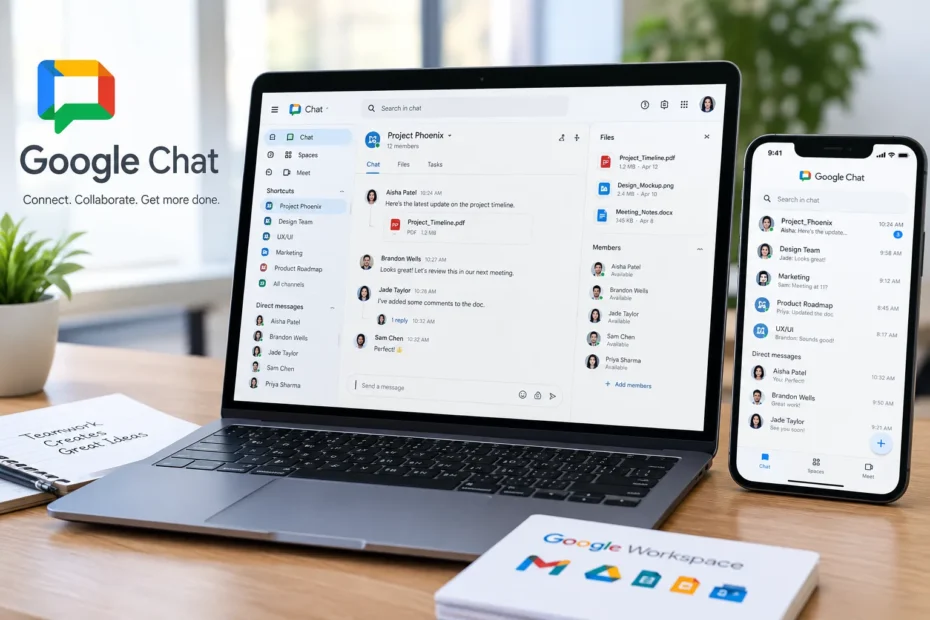
Here’s the thing: most people think Google Chat is just “that thing in Gmail they accidentally clicked once.” That’s a mistake. In 2026, Google Chat is a full-blown collaboration hub with AI summaries, cross-language translation, and deep integration into Docs, Drive, and Meet. It’s not just another instant messaging app; it’s the nervous system of Google Workspace.
Quick Answer: Google Chat is Google’s free communication tool for direct messages, group chats, and team “Spaces.” It works for personal Google accounts and integrates deeply with Google Workspace for businesses and schools. You can use it via Gmail, the web, or dedicated desktop and mobile apps.
What is Google Chat (And Why Should You Care in 2026)?
Direct Answer: Google Chat is a communication and collaboration platform built by Google that combines direct messaging, group conversations, and persistent team rooms called “Spaces” into one service tied directly to your Google Account.
Let’s clear the air. Google Chat isn’t “new” anymore. It’s the evolution of Google Hangouts, and as of 2026, it’s grown teeth. According to Google’s own documentation, Chat lets you do everything from sending a quick “you around?” to handing a teammate a task or dropping a Drive file into the thread—all without switching tabs.
The big shift? AI. In 2026, Google Chat is Gemini-infused. That means conversation summaries that actually work, automatic translation across 120+ languages, and AI-powered search that finds that one deadline buried in a 300-message thread .
Key Takeaway:
- Google Chat is free for personal accounts and included in Google Workspace.
- It’s not just chat—it’s a task, file, and meeting hub.
- The 2026 version is AI-first, with summaries and translation built in.
Here’s the part that matters for teams: Spaces. Think of them as persistent rooms organized around a project, not a passing conversation. Unlike a group text that dies after the weekend, a Space keeps its history, files, and tasks in one place. You can set a Space for “Q3 Marketing Launch” and still find that file six months later without scrolling through a thousand “lol” messages .
| Specification | Details |
|---|---|
| Product Name | Google Chat |
| Developer | Google LLC |
| Category | Communication and collaboration tool |
| Core Functions | Direct messages, group chats, and persistent team rooms called Spaces |
| Account Types |
Personal Google Account Free Google Workspace account (paid, for businesses and schools) Subscription |
| Access Methods |
Gmail sidebar (desktop web) Web browser at chat.google.com Standalone desktop application (Chrome) Mobile apps for Android and iOS |
| Workspace Integration | Deep integration with Google Workspace productivity suite, including Google Drive, Google Calendar, Google Meet, Google Docs, Sheets, and Slides |
| Target Users | Individual personal users; businesses, organizations, and educational institutions using Google Workspace |
| Data Security | Data encrypted in transit and at rest; content not used for advertising purposes |
| Webhook Support | Available on paid Google Workspace accounts only; not available for personal accounts |
| Message Management | Edit and delete sent messages (available on both account types) |
| Space Creation | Available on both personal and Workspace accounts |
| Direct Messaging | One-to-one and group direct messages supported |
| Emoji Reactions | Send and react with emojis |
How to Download and Use Google Chat (Step-by-Step for Beginners)
Look, I get it. “Another app?” No one needs another app. The good news is you probably already have access. Here’s the no-nonsense setup.
Step 1: Pick your door.
You’ve got three ways in :
- The lazy (and best) way: Open Gmail. Look at the left sidebar. If you see “Chat,” click it. You’re done.
- The web way: Go to chat.google.com in any browser.
- The mobile way: Download the Google Chat app from the Google Play Store or Apple App Store.
Step 2: Sign in.
Use your existing Google Account. If you’re using a work or school account, your organization might need to enable Chat first. If you don’t see it, ping your IT person .
Step 3: Start a conversation.
Click “New chat.” Type a name from your contacts. Boom. You’re messaging. Want a group? Create a Space, name it, and invite people.
Key Takeaway:
- The mobile app is free and available on both major platforms.
- No credit card, no trial, no nonsense.
Visual Suggestion: A screenshot showing the left-hand Gmail sidebar with a red circle around the “Chat” icon, plus a side-by-side of the mobile app’s “New Chat” button.
Is Google Chat Safe? The Honest Truth About Privacy
Direct Answer: Yes, Google Chat is safe from a technical standpoint—it uses encryption in transit and zero-trust architecture—but like any messaging platform, it has scam risks you need to manage.
I’m not going to blow smoke. Google Chat is secure. Google stores your messages in encrypted data centers. It explicitly states it does not use your Chat content for advertising . For Workspace admins, there are data loss prevention (DLP) rules, phishing detection, and the ability to block external users entirely .
But here’s the raw truth: scammers use it. Why? Because it’s free and tied to Google accounts, which everyone has. Avira’s security team flagged a rise in Google Chat scams in early 2026, ranging from fake “account compromised” alerts to romance scams that migrate from dating apps .
The warning signs are universal:
- Unsolicited messages from people you don’t know.
- Urgency. “Act now or your account is locked.”
- Links that don’t go to google.com.
- Requests for money or passwords.
The fix is simple: Turn on 2-Step Verification for your Google Account. Don’t click weird links. And if a “colleague” suddenly asks for gift cards via Chat, call them. It’s not them .
Key Takeaway:
- Google Chat is encrypted and doesn’t sell your data for ads.
- Scams exist, but they rely on human error, not broken encryption.
- Enable 2FA and ignore sketchy links. That’s 90% of the battle.
Google Chat vs. WhatsApp: Which One Actually Fits Your Life?
Direct Answer: Google Chat is built for work and integration with Google’s ecosystem; WhatsApp is built for personal, phone-number-based messaging. They solve different problems.
Let’s stop comparing apples to oranges. This isn’t a “which is better” fight. It’s a “which is right for this specific thing” decision.
| Feature | Google Chat | |
| Primary Use | Work, teams, projects | Personal, family, friends |
| Account Type | Google Account (email) | Phone Number |
| Integration | Docs, Drive, Meet, Calendar | Standalone (Meta ecosystem) |
| Team Features | Spaces, Tasks, Threads | Groups, Communities |
| Search | AI-powered (2026) | Basic |
| Best For | “Where’s the Q3 report?” | “What’s for dinner?” |
Here’s the thing I learned the hard way: I tried to run a freelance project through WhatsApp once. By week two, the file we needed was buried under 400 messages and three memes. Google Chat Spaces would have kept that file pinned, searchable, and attached to the task. That’s the difference. WhatsApp is a conversation. Google Chat is a workspace .
Key Takeaway:
- Use Google Chat for anything involving files, deadlines, or teams.
- Use WhatsApp for your group chat about weekend plans.
- Don’t mix them. Your sanity will thank you.
5 Google Chat Features You’re Probably Not Using (But Should)
Direct Answer: The most underused Google Chat features in 2026 are Huddles (instant audio calls), AI conversation summaries, smart chips for files, task assignment inside threads, and cross-language translation.
I’ve tested a lot of software. Most “features” are bloat. These five are not.
1. Huddles.
You’re typing back and forth. It’s taking too long. Click the audio icon. You’re in a call. No link, no calendar invite, no “let me find a quiet room.” It opens a little window over your chat. It’s the fastest way to resolve a “wait, what did you mean?” moment .
2. AI Summaries.
You’ve been out sick. A Space has 87 new messages. Instead of scrolling, click the summary button. Gemini gives you a three-bullet recap: what was decided, what’s pending, and what needs your input .
3. Smart Chips.
Type “@” and link a Google Doc, a person, or a Space directly into a message. The recipient sees a live preview. It’s cleaner than a raw URL and faster than explaining where to look.
4. Tasks Inside Chat.
See a message that says “can someone update the budget by Friday?” Hover over it. Create a task. Assign it. It syncs to Google Tasks. Now it’s not a message that gets lost—it’s a checkbox that nags you .
5. Translation.
Working with a team in Brazil? Chat translates messages automatically across 120+ languages. You type English; they read Portuguese. It’s not perfect, but it’s shockingly good .
Key Takeaway:
- Huddles kill the “quick call?” email dance.
- AI summaries save you from scroll fatigue.
- Tasks turn conversations into action.
Visual Suggestion: A mockup of a Google Chat window showing the “Summarize” button at the top of a busy Space, with a pop-up showing three bullet points.
The Bottom Line
Google Chat in 2026 is not the awkward Hangouts replacement you ignored three years ago. It’s a lean, AI-assisted messaging layer that sits on top of the tools you already use—Gmail, Drive, Docs, Meet. If you’re a Google Workspace user, ignoring it is leaving productivity on the table. If you’re a personal user, it’s a free, safe, and surprisingly capable instant messaging app that doesn’t sell your soul to advertisers.
The 80-word summary: Google Chat is free, secure, and deeply integrated with Google’s ecosystem. Use it for work, not for texting your mom. The mobile app and Gmail integration make setup a two-minute job. Security is solid, but scams exist—enable 2FA. The killer features in 2026 are Huddles, AI summaries, and Spaces. If your team lives in Google, you should live in Chat. Stop replying-all. Start a Space.
Your move: Open Gmail. Click Chat. Send one message to one person. That’s it. You’re in.
Found this useful? Share it with the colleague who still sends calendar invites for 15-minute questions. And drop a comment below—what’s the one feature you wish Google Chat had?
References
- Google Workspace Help. “Overview: Manage Chat for an Organization.” Updated October 2026.
- Google Support. “Get Started with Google Chat.” 2026.
- Google Support. “Understand the Basics of Google Chat Privacy.” 2026.
- Google Play Store. “Google Chat – Apps on Google Play.” Updated September 2026.
- DragApp Blog. “Google Chat: The 2026 Definitive Guide.” 2026.